Advanced Motion Graphics & Video Editing Course in Jodhpur | Certificate Training
Start your journey with the advanced motion graphics and video editing course in Jodhpur designed for content creators, video editor and filmmakers. Learn professional animation, transitions, color grading, sound design, and cinematic storytelling using After Effects, Premiere Pro, DaVinci Resolve, Audition, Photoshop, Illustrator, and AI-powered tools with expert guidance.
This course includes real project practice, portfolio development, studio exposure, and free filmmaking training, helping you build strong skills for careers in video production, motion graphics, social media content, and freelance editing with professional certification.
how does this Motion Graphics Course
learn
Upskill yourself by gaining insights from leading professionals’ vast experience.
practice
Sharpen your skills by learning through course assignments, live projects, and regular assessments
and quizzes
ask
Resolve your queries from industry experts with our dedicated one-to-one doubt-clearing sessions.
buid
Craft a diverse portfolio and appealing resume, and optimize Linkedin to showcase your data analyt-
ics skills.
Advanced Motion Graphics & Video Editing Course in Jodhpur
A detailed overview of the course, including key topics, objectives, and module sequence.
key highlight
what you will learn
- Adobe Photoshop
- Adobe Illustrator
- Premiere Pro
- After Effects
- Audition
- All about the welcome screen
- Move and Artboard tool
- All about layer panel
- Brush tool
- Crop tool
- Clone stamp tool
- Healing tool
- Content-aware fill
- Eraser tool
- Blur, Sharpen, Smudge tool
- Layer Mask
- Black and White Color
- History Panel and History Brush
- Clipping mask
- Dodge, Burn and Sponge tool
- Gradient and Patterns
- Blending options/layer styles
- How to make layer styles
- Vanishing point filter and blend
- Useful websites
- Perspective warp
- Face aware liquify
- Puppet warp
- Align layers
- Remove matte from layer
- Stroke on path
- Anti-aliasing
- Fill layers
- Vector Shapes, Vector smart object
- Raster smart object
- How to save files and export jpeg/png
- How to extract hair with select and mask
- Color channels
- Differences between RGB & CMYK
- Adjustments Sharpen an image
- Change color of any object
- Convert day scene to night
- Gradient map
- Make your own lookup tables
- Custom brushes
- Make professional actions
- Play actions on 100s of images
- Design poster
- How to blur background
- Portrait development and skin retouch
- Shadows in Photoshop
- Double exposures
- Color balance to match the tone of images
- Alpha channel in Photoshop
- About the welcome screen & Selection tool
- Vector vs. Raster
- Direct selection tool
- Pen tool
- Guides/rulers
- Pen tool and All about Layer Panel
- Line segment, Arc and Spiral Tool
- Polar Grid and Rectangular Grid tool
- All about fill and stroke
- Rotate Tool and shape builder Tool
- Shape tool and Gradient
- Artboard Tool and Setting
- Scale, Shear, Reshape, and Free Transform Tool
- Pathfinder and make icons & Appearance panel
- Resizing and Slicing Artboards
- Color theory
- Type Tool with Examples
- How to download and install free fonts?
- Typography
- Custom brushes
- How to save files and export jpeg/png
- Mesh tool
- Tracing with mesh tool
- Use of blend tool and actions
- Working with symbol tool
- Perspective tool
- Path Panel
- 3D Effects
- Image tracing and Live Paint
- Distort and Transforms
- Create flat design
- Isometric Designs via guides/tools
- Vector art
- Low Poly art
- 1D/2D/3D perspective Buildings
- Video Resolution
- Frame Rate
- Bit Rates
- Upscaling and Downscaling
- Types of Video Angles
- Creating a Project
- Walking through the Layout
- Importing & Organizing Media
- Creating a Sequence
- Adding Clips
- Basic Video Editing
- Effect Control
- Tools and Shortcuts
- Keyboard Customizing
- Adjusting Clip Dimensions
- Effects Controller – Masking
- Basic Title and Graphic
- Animating Basic Title
- Import Title Elements
- How to Save Custom Animation
- Custom Transition
- Transition Templates Importing
- Difference Between CC and CG
- HUE, SATURATION, and LUMA
- Adjusting Audio with Sliders
- Sound Design
- Simple Cut
- Jump Cut
- J/L Cut
- Fade In Fade Out
- Passing Transition
- Basic Exporting
- How to Export Screenshots
- Regular Speed Settings
- Default Transition & Effect Control
- Dolly Zoom Effect
- Glitch Effect
- Trailer Cut
- Interface and Workspace
- After Effects Tools
- Timeline & Layers
- 3D Tools and Layers
- Shape Tool
- Pen Tool
- Text Tool
- Brush and Erase Tool
- Roto Brush
- Puppet Pin Tool
- Animation Basics
- PSD and AI Documents
- Simple Animation Pt 1 & 2
- Video Editing Part 1 & 2
- Transitions
- Enhancing Elements
- Green Screens
- Overlays
- Speed & Motion
- Stabilize & Color Correction
- Sky Replacement
- Fixing and Exporting
- Text and Video
- Text Tracking
- Clone Tool
- Clone Effect
- Neon Animations
- Still Image Animations
- Time Paths
- Looping
- Liquid Motions
- Logo Motion Examples
- Character Animations
- 3D Basics
- Introduction
- Light
- Layer Styles
- Text Behind Subject
- Elements Through Text
- Green Screen
- VFX Effects
- Much More
- Loading Animations
- Camera Layers
- Understanding Audio Editing
- Workflow
- Audition Interface
- Mono
- Stereo
- MP3, WAV, AAC
- Importing Audio Files
- Cut, Copy, & Paste Audio
- Audio Cleanup Tools
- Noise Removal
- Amplitude & Compression
- Filter & EQ
- Time & Pitch
- Audio Mixing & Adding Voice Over
- Adding Music & Sound FX
- Exporting to Premiere Pro
- Final Delivery
Be in the spotlight by getting certified!
A detailed overview of the course, including key topics, objectives, and module sequence.
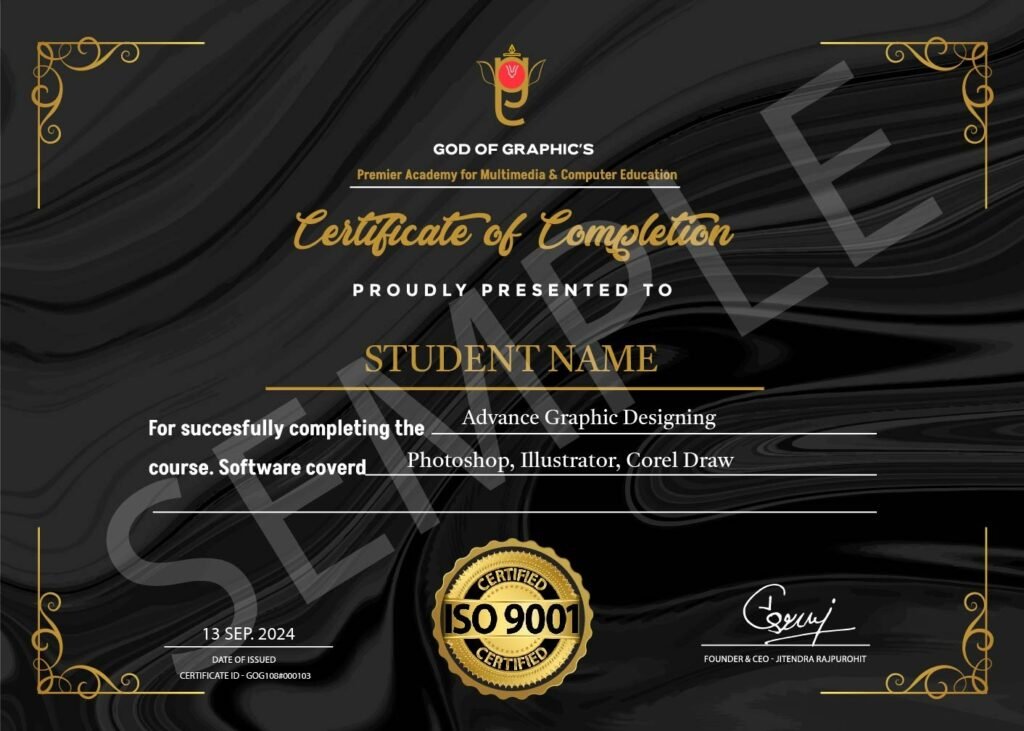
Industry-Recognized
Certificate
Earn a certificate valued by top companies.
Stand Out in Job Market
Fortify Your Profile to Increase Credibility
Your Passport to Career Growth
Access Well-Paying positions
A Motion Graphics Course teaches animation, visual effects, and design using software like After Effects and Cinema 4D. It helps video editors and designers create engaging visuals for ads, films, and social media. Perfect for beginners and professionals looking to enhance their storytelling skills.
This course provides hands-on training with industry software, real projects, studio practice, AI tools, free filmmaking training, and a recognized certificate for strong creative careers in Jodhpur.
A Motion Graphics Course is ideal for graphic designers, video editors, animators, content creators, and marketers who want to enhance their visual storytelling skills. It's also great for beginners looking to start a career in animation, VFX, or digital media.
Yes, the course starts from basic concepts and gradually moves to advanced animation, editing, and cinematic production skills suitable for beginners and aspiring professionals.
Students learn After Effects, Premiere Pro, DaVinci Resolve, Adobe Audition, Photoshop, Illustrator, and AI-based editing techniques along with animation and color grading workflow.
The duration of a Motion Graphics Course varies based on the level and depth of training.
Beginner Courses: 4 to 8 weeks (basic animation and design principles).
Intermediate Courses: 2 to 6 months (advanced techniques, software mastery).
Advanced/Professional Courses: 6 months to 1 year (in-depth VFX, 3D motion graphics).
Motion Graphics focuses on animated graphic elements, while animation covers a broader range, including character animation and storytelling techniques.
Students can work as video editors, motion graphics artists, reel creators, YouTube editors, or freelance creators, and can join production houses, media studios, and digital marketing agencies in Jodhpur or work independently.